
How Multi-Factor Authentication Improves Business Security

How Multi-Factor Authentication Improves Business Security

25 July 2026 Ganesan Ganesan

Cyber threats are going up, and honestly it makes business accounts, and your data way more exposed than before. Multi-Factor Authentication (MFA) adds that extra layer of cover, so your business systems stay protected.


What is MFA?

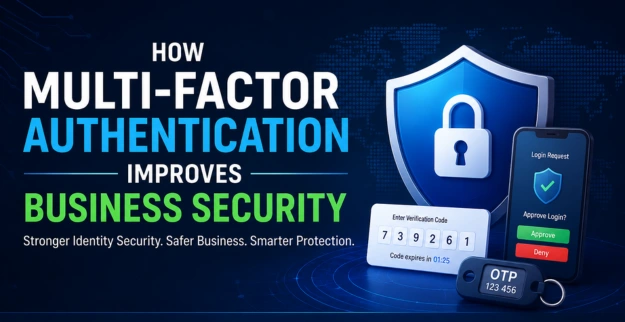
Multi-Factor Authentication (MFA) is a kind of security approach that makes users confirm who they are using two or more ways of authentication, not just one. It kind of helps stop access by people who shouldn’t get in even when passwords end up compromised.


Types of MFA

  • Password + One-Time Password (OTP) sent via SMS or email.
  • Password + Mobile Authenticator App.
  • Password + Biometric Authentication (Fingerprint or Face ID).
  • Password + Security Token or Hardware Key.
  • Password + Push Notification Approval.

How Multi-Factor Authentication Improves Business Security

Helps Prevent Unwanted Entry

  • Adds sort of extra authentication during the sign in process, so it’s not just the usual password step.
  • Keeps intruders away from accounts when they’ve somehow got stolen credentials and try to use them anyway.
  • Also lowers the chances of a data breach or at least makes it less likely to happen in the first place.

Protects Remote Workers

  • It secures employees' access even from remote places, like at home or on the road.
  • It also shields cloud applications and main business systems.
  • Overall, it strengthens remote working safety, which helps a lot.

Strengthens Business Data Protection

  • Helps secure private company information in a steadier way.
  • Keeps sensitive files safe from anyone who shouldn’t access them.
  • Also boosts the broader business cyber security, overall, like a little extra guard layer.

Supports Identity and Access Management

  • Basically, it verifies user identities more clearly.
  • It helps control who can enter, based on their user roles.
  • Overall, it improves secure access management in a steadier way.

Helps Reduce Cybersecurity Risks

  • It guards against phishing attempts and password attack stuff.
  • Also, it backs Zero Trust security strategies, where nobody is trusted by default.
  • And it boosts cyber threat prevention measures, which are kind of essential.

Benefits of Multi-Factor Authentication

  • It helps business cybersecurity a lot, really, like an extra lock on the door.
  • It protects employee accounts and company data. Even when someone guesses a password, it still adds that extra step.
  • It also improves password security, because the whole system doesn’t rely on one single credential.
  • It lowers the odds of account compromise, less chance something goes sideways.
  • It supports secure business logins in a steadier way.
  • It strengthens cloud security solutions, especially where access is more distributed and constantly changing.

Implementation Tips

  • Turn on MFA for all business accounts, like every role or service you use.
  • Try using authenticator apps instead of SMS whenever it makes sense.
  • Also, apply MFA to email, cloud services, and VPN access, not just the obvious login page.
  • Train employees on authentication security, so it’s not just a “click here” thing.
  • Regularly review user access permissions and remove anything that looks stale or redundant.
  • Use trusted MFA solutions for business environments, preferably something with solid support and logs.
  • Keep backup authentication methods available, in case a device gets lost, or a phone number changes.

Use Cases

  • Employee email account protection, like what stops random access.
  • Microsoft 365 plus cloud application security stuff.
  • Remote employee access management for people working outside.
  • VPN and business network security, keeping the whole pathway locked.
  • Financial and payroll system protection, so the numbers stay clean.
  • Customer database access control; access must be deliberate.
  • Office and branch network security, not just the main site.
  • Secure administrator account access, no “quick logins” allowed.

Constraints

  • Requires that employee training happens during the implementation.
  • May slightly boost login time, depending on the setup.
  • Users have to handle their authentication devices securely, no exceptions.
  • Hardware tokens might come with extra costs as well.
  • There should always be backup authentication methods kept up and ready.
  • If MFA is configured poorly, it can reduce effectiveness, even when it’s enabled.

Conclusion

Multi Factor Authentication is one of the best ways to protect business accounts and all those sensitive bits of information. Putting MFA in place really helps; it strengthens overall business security too, and it cuts cyber risks.

Latest Blog Posts

How Multi-Factor Authentication Improves Business Security

By: Ganesan D 25 Jul 2026 Category: Identity Security

Learn how Multi-Factor Authentication (MFA) improves business security, strengthens identity security, protects business authentication, and prevents unauthorized access to critical business accounts.

Read more...

Top 15 Security Weaknesses Found During Penetration Tests

By: Ganesan D 24 Jul 2026 Category: Penetration Testing

Discover the most common security weaknesses found during penetration testing and learn how identifying security vulnerabilities helps businesses reduce cyber risks and strengthen their security posture.

Read more...

Internet Security vs Cyber Security: What's the Difference?

By: Ganesan D 23 Jul 2026 Category: Network Security

Learn the difference between Internet Security vs Cyber Security and how Internet security, Cyber security, and network security protect businesses from cyber threats, data breaches, malware, and online attacks.

Read more...