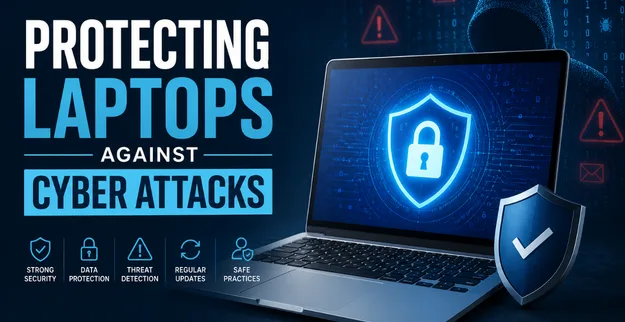
Protecting Laptops Against Cyber Attacks
By:
Ganesan D
28 August 2026
Category:
Cyber Security
Introduction
Laptops are essential business devices used to access company applications, cloud platforms, emails, customer information, and sensitive business data. Because employees often use laptops from offices, homes, public networks, and while travelling, these devices can become attractive targets for cybercriminals.
A compromised laptop can provide attackers with access to business accounts, confidential information, and wider corporate networks. Strong Laptop Security, combined with effective Endpoint Security and employee awareness, helps organizations reduce these risks and protect their digital environment.
Common Laptop Threats
Businesses should understand the major threats that can affect laptops.
1. Malware and Ransomware
Malicious software can infect laptops through unsafe downloads, compromised websites, email attachments, or malicious links. Ransomware can encrypt files and disrupt business operations.
2. Phishing Attacks
Attackers send fraudulent emails or messages designed to steal passwords, install malware, or trick employees into revealing sensitive information.
3. Weak Passwords
Simple or reused passwords can make business accounts easier to compromise if credentials are stolen or exposed.
4. Unsecured Wi-Fi
Employees connecting laptops to unsecured public Wi-Fi networks may expose business communications and data to additional security risks.
5. Outdated Software
Unpatched operating systems, applications, browsers, and drivers may contain known vulnerabilities that attackers can exploit.
6. Device Theft or Loss
A lost or stolen laptop can expose sensitive information if the device does not have appropriate authentication and data protection controls.
Security Best Practices
Organizations should implement multiple layers of Device Protection.
Recommended Practices
- Keep operating systems and applications updated
- Use strong, unique passwords
- Enable Multi-Factor Authentication (MFA)
- Encrypt sensitive data stored on laptops
- Enable automatic screen locking
- Use secure Wi-Fi and VPN connections when appropriate
- Avoid downloading software from untrusted sources
- Maintain regular backups of important business data
- Restrict administrator privileges
- Enable remote device lock or wipe capabilities where available
Regular security updates and configuration reviews help reduce vulnerabilities before attackers can exploit them.
Endpoint Protection
Endpoint Protection provides an additional security layer for laptops and other business devices.
Businesses should consider deploying:
1. Endpoint Detection and Response (EDR)
EDR solutions continuously monitor endpoint activity and can help identify suspicious behavior, malware, and potential security incidents.
2. Antivirus and Anti-Malware
Modern endpoint security solutions can detect and block known malicious files, programs, and activities.
3. Endpoint Monitoring
Continuous monitoring provides visibility into device activity and helps security teams identify unusual behavior.
4. Application Control
Restricting unauthorized applications can reduce the risk of malicious software being installed or executed.
5. Centralized Security Management
Centralized management allows IT and security teams to monitor device security status, apply policies, and respond to issues across multiple laptops.
Combining these controls with network security and security monitoring creates stronger overall Endpoint Security.
User Awareness
Technology alone cannot eliminate laptop security risks. Employees play an important role in protecting business devices.
Organizations should regularly train employees to:
- Identify phishing emails and suspicious links
- Avoid unknown downloads and attachments
- Use strong passwords and MFA
- Secure laptops when working remotely
- Avoid connecting to unknown or unsecured networks
- Report lost or stolen devices immediately
- Install only approved software
- Follow company security policies
Security awareness training helps employees recognize threats before they become security incidents.
Conclusion
Laptops are critical endpoints within modern organizations and can become entry points for cyberattacks if they are not properly protected. Malware, phishing, outdated software, unsecured networks, weak passwords, and device theft can expose businesses to significant security risks.
A strong Laptop Security strategy should combine Endpoint Security, reliable Endpoint Protection, encryption, access controls, regular updates, monitoring, and employee awareness.
By taking a proactive approach to Device Protection, businesses can reduce endpoint-related risks, protect sensitive information, and create a more secure working environment.