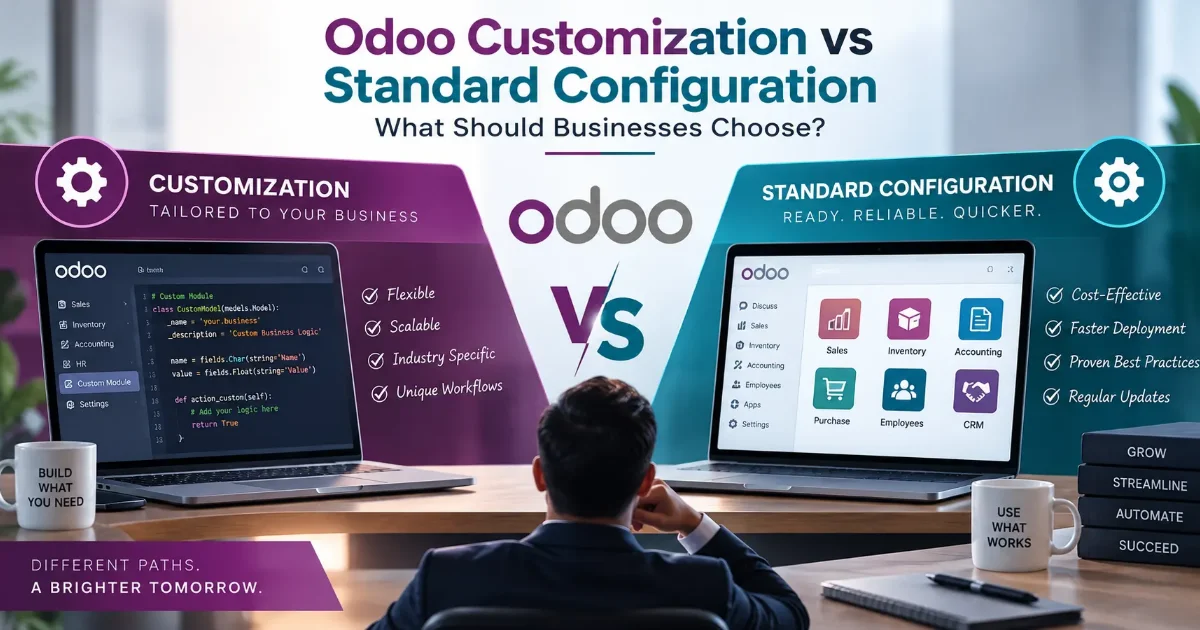
Odoo Customization vs Standard Configuration: What Should Businesses Choose?
By:
Ganesan D
19 Sep 2026
Category:
IT Infrastructure
Introduction
Businesses often adopt ERP systems to streamline operations, improve visibility, and connect different departments through a centralized platform. Odoo ERP provides a wide range of applications for areas such as sales, accounting, inventory, purchase, manufacturing, CRM, and human resources.
However, every business has different processes and requirements. This often leads to an important question during Odoo implementation: should the business use Odoo's standard configuration, or should the system be customized?
Odoo configuration uses the features and settings already available within the platform to align Odoo with business requirements. Odoo customization, on the other hand, involves modifying or extending the system when standard functionality does not adequately support a specific business process.
Standard Configuration
Standard configuration means adapting Odoo using its existing features and settings without making significant changes to the underlying application code.
Depending on the module, businesses can configure:
- User roles and access rights
- Sales and purchase workflows
- Taxes and fiscal positions
- Product and inventory settings
- Approval processes
- Email templates
- Accounting configurations
- Reports and dashboards
- Automated actions and scheduled activities
The objective is to align the organization's processes with Odoo's existing capabilities.
Benefits of Standard Configuration
- Faster implementation
- Lower initial cost
- Easier upgrades
- Simpler maintenance
- Reduced technical complexity
- Better compatibility with standard Odoo features
For businesses whose processes closely match Odoo's capabilities, standard configuration can provide an efficient implementation path.
Odoo Customization
Odoo ERP customization involves modifying or extending Odoo to address requirements that cannot be adequately handled through standard configuration.
Customization may include:
- Custom modules
- Specialized workflows
- Custom reports
- Additional fields and business rules
- Integration with third-party applications
- Industry-specific functionality
- Custom dashboards
- Advanced automation
For example, a business may have a unique approval process or operational workflow that cannot be effectively managed using standard Odoo functionality.
In such situations, carefully planned customization can help Odoo better match the organization's operational requirements.
Key Differences
The right approach depends on how closely the organization's processes align with Odoo's standard capabilities.
| Standard Configuration |
Odoo Customization |
| Uses existing Odoo features |
Extends or modifies functionality |
| Generally faster to implement |
Usually requires additional development |
| Lower initial cost |
Higher development cost |
| Easier maintenance |
Requires ongoing technical support |
| Easier upgrades |
Custom code may require upgrade adjustments |
| Best for standard business processes |
Useful for unique business requirements |
Cost Considerations
Cost is an important factor when comparing Odoo customization with standard configuration.
Standard configuration generally requires fewer development resources and can therefore reduce initial implementation costs.
Customization can increase costs because it may require:
- Business analysis
- Solution design
- Development
- Testing
- Documentation
- Deployment
- Ongoing support
Businesses should therefore evaluate whether a requested customization provides sufficient operational value to justify its additional cost.
A useful approach is to first determine whether the requirement can be achieved through standard Odoo functionality before investing in custom development.
Maintenance
Maintenance is another important consideration.
Standard Odoo functionality is generally easier to maintain because it follows the platform's existing architecture and features.
Custom solutions require additional attention because changes to Odoo versions, modules, workflows, or dependencies may affect custom-developed functionality.
Businesses using customized Odoo environments should maintain:
- Proper technical documentation
- Source-code management
- Testing procedures
- Backup and recovery processes
- Upgrade planning
- Regular technical reviews
Good development practices can help reduce long-term maintenance challenges.
Scalability
Both configuration and customization can support business growth, but they have different implications.
Standard configuration can make future upgrades and expansion simpler because the system remains closer to the standard Odoo platform.
Customization can provide greater flexibility for businesses with specialized processes. However, excessive customization can increase technical complexity as the organization grows.
Businesses should therefore avoid customizing every process simply because customization is possible.
Choosing the Right Approach
Businesses should consider the following before deciding between configuration and customization:
- Can Odoo's standard functionality meet the requirement?
- Is the business process genuinely unique?
- Will the requirement remain important as the business grows?
- What is the long-term maintenance impact?
- How will customization affect future upgrades?
- Does the customization provide measurable business value?
- Can the workflow be improved instead of simply replicated?
Conclusion
The choice between Odoo configuration and Odoo customization should be based on business requirements rather than customization preferences.
Standard configuration can provide faster implementation, simpler maintenance, and easier upgrades. Customization can provide additional flexibility when an organization's processes require functionality beyond what standard Odoo features can deliver.