Odoo vs. Competitors: 10 Key Considerations to Choose the Right ERP
23 Oct 2025
Category: Oodo ERP
When it comes to selecting an ERP, there’s no one-size-fits-all solution. The right choice depends heavily on your business size, complexity, growth plans, and how you work. Below are 10 key considerations to help you compare Odoo vs its competitors and land on what’s best for your situation.
1. Start with Your Core Needs — Don’t Be Dazzled by Features
Before you look at vendor comparisons or glossy brochures:
- List your must-have modules and workflows (e.g. accounting, stock, MRP, HR, e-commerce).
- Mark what’s optional but nice to have (e.g. advanced BI, predictive analytics).
- Understand your unique workflows — any steps that make your business special.
Use that as your baseline. A system that checks all of your core needs (even if it lacks some bells and whistles) is often better than one with tons of features you won’t use.
2. Modular Flexibility: How Easily Can You Add or Drop Modules?
One of Odoo’s strong suits is its modular architecture. You can begin with only a few modules and scale gradually. That means less upfront cost and complexity.
Many proprietary ERPs also offer modular options — but they may tie modules together or enforce dependencies. Sometimes adding one module forces you to take others. Watch out for hidden “module coupling.”
When comparing, ask:
- If I activate a module later, can it integrate smoothly?
- Will adding modules cause performance degradation?
- Is the pricing linear (i.e. just the module cost) or are there hidden costs?
3. Customization and Upgrade Risk
Every business has some unique processes. But customization comes with caveats:
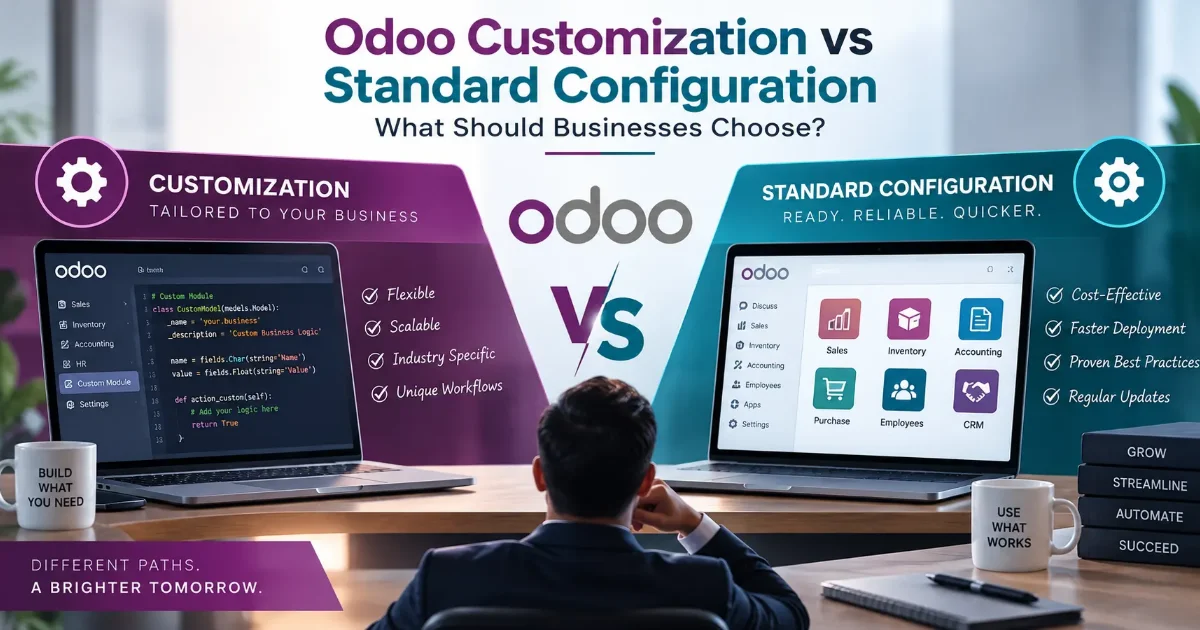
- Odoo (especially the Community version) allows deeper tweaks — but heavy custom work can make future upgrades harder.
- Proprietary ERPs often provide “extensions” or “apps” but inside certain guardrails.
- Always check the upgrade path: can your customizations survive a version upgrade, or will they break?
A balanced approach: use customization only where necessary, prefer configuring vs coding, and keep changes well documented.
4. Implementation Time and Effort
Time is money. A long, drawn-out implementation can stall operations or overrun budgets.
- For standard business models (sales, inventory, accounting), Odoo often offers faster implementation than legacy ERPs.
- But if your workflows are complex, or you need integrations with external systems (PLCs, legacy databases, third-party apps), even Odoo will require serious planning.
- Always build in buffer time for data migration, testing, user training, and iterations.
5. Cost & Total Cost of Ownership (TCO)
Don’t fall in love with low initial licensing only to be surprised later.
- Licensing fees (per module, per user)
- Infrastructure (cloud vs on-prem, servers, backups)
- Integration, customization, consulting
- Training and onboarding
- Ongoing maintenance, support, upgrades
Odoo often wins for SMEs in terms of TCO because you can ramp up gradually. But for large enterprises with heavy needs, the difference may narrow.
6. Scalability & Performance
As you grow (users, transactions, data, geographies), your ERP must keep up.
- How well does the ERP scale horizontally or vertically?
- Does the architecture support multi-company, multi-currency, global operations?
- Are there performance benchmarks for large deployments?
Some large corporations favor big names because their systems have proven track records at scale — but Odoo is increasingly being used in high-scale environments too.
7. Ecosystem, Developer & Partner Network
Even a great ERP fails if you lack good local partners, extensions, or community support.
- Odoo has a strong community, many third-party modules, and many implementation partners.
- Proprietary ERPs typically have certified partners, official support, stronger SLAs, but perhaps fewer third-party “side” innovations.
- In your region (e.g. India / Chennai), check how many qualified partners exist for each ERP.
8. Vendor Reputation, Support & SLAs
You want not just software, but a reliable support system.
- Response times, support tiers, SLAs
- Vendor track record for updates, patches, security
- Community reviews / case studies in your industry
- Whether support is local (time zone, language)
Sometimes a cheaper ERP with weak support becomes a liability.
9. Reporting, Analytics & Business Intelligence
One of the major reasons companies invest in ERPs is data visibility and decision making.
- Does the ERP provide strong built-in reporting tools?
- Can you embed dashboards, KPIs, custom analytics, predictive models?
- Does integration with BI tools (Power BI, Tableau, etc.) work smoothly?
In some ERP systems, analytics is an afterthought — evaluate this early.
10. Future-Proofing: Upgrades, Compatibility & Trends
ERP is a long-term investment. You don’t want to outgrow or be stuck.
- How smooth are version upgrades?
- What is backward compatibility with custom code?
- How open is the architecture (APIs, microservices)?
- Are emerging trends — cloud, AI, IoT, automation — supported or easily integrable?
Final Thoughts
If I were advising a growing business in Chennai, here’s what I’d likely lean toward:
- Start with Odoo (or a modular ERP) if your complexity is moderate, you want flexibility, and you prefer to control cost.
- Ensure you choose strong local implementation partners.
- Reserve heavier, more established ERP options for later, or only if your industry demands them (e.g. large scale, heavy regulation).