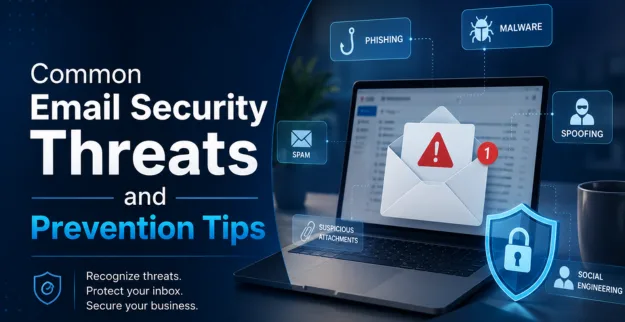
Common Email Security Threats and Prevention Tips
04 August 2026
Introduction
Email remains one of the most widely used communication tools for businesses, but it is also one of the most common entry points for cyberattacks. Cybercriminals use emails to deliver malware, steal sensitive information, compromise business accounts, and trick employees into making fraudulent payments. A single successful email attack can lead to financial losses, operational disruptions, and reputational damage.
Common Email Threats
Businesses face various email-based cyber threats that target employees and organizational data.
1. Phishing Attacks
Phishing attacks use fake emails that appear to come from trusted sources, encouraging users to click malicious links or reveal sensitive information such as passwords and banking details.
2. Business Email Compromise (BEC)
Attackers impersonate executives, suppliers, or trusted partners to trick employees into transferring money or sharing confidential business information.
3. Malware Attachments
Cybercriminals send infected attachments that install malware, ransomware, or spyware once opened.
4. Spam Emails
Although often considered a nuisance, spam emails may contain malicious links, fraudulent offers, or harmful attachments.
5. Email Spoofing
Attackers forge the sender's email address to make messages appear legitimate and deceive recipients into trusting fraudulent emails.
6. Credential Harvesting
Fake login pages linked from emails are used to steal usernames, passwords, and Multi-Factor Authentication (MFA) codes.
These threats continue to evolve, making advanced email security more important than ever.
Warning Signs
Employees should be able to recognize suspicious emails before interacting with them.
Common warning signs include:
- Unknown or suspicious sender addresses
- Urgent requests demanding immediate action
- Unexpected attachments or download links
- Poor grammar and spelling mistakes
- Requests for passwords or confidential information
- Mismatched website URLs
- Unexpected payment or bank account change requests
Recognizing these warning signs helps prevent successful phishing and fraud attempts.
Prevention Tips
Organizations should implement multiple layers of protection to strengthen business email security.
Best Practices
- Enable Multi-Factor Authentication (MFA) for email accounts
- Use advanced email filtering and anti-spam solutions
- Keep email systems and security software updated
- Verify payment and financial requests through secondary communication channels
- Block suspicious attachments and malicious links
- Implement SPF, DKIM, and DMARC email authentication protocols
- Perform regular email security assessments
- Backup important business emails and data
These security measures significantly reduce the likelihood of successful email-based attacks.
Employee Awareness
Technology alone cannot stop every cyber threat. Employees play a vital role in protecting the organization.
Businesses should provide regular cybersecurity awareness training covering:
- How to identify phishing attacks
- Safe email handling practices
- Reporting suspicious emails immediately
- Password security and Multi-Factor Authentication
- Secure handling of confidential business information
- Social engineering awareness
A well-trained workforce serves as the first line of defense against email threats.
Conclusion
Email continues to be one of the most targeted attack vectors for cybercriminals. From phishing attacks and malware to business email compromise, organizations must take proactive steps to strengthen business email security.
FAQ
1. What are the most common email security threats?
The most common threats include phishing attacks, Business Email Compromise (BEC), malware attachments, email spoofing, spam, and credential harvesting.
2. What is a phishing attack?
A phishing attack is a fraudulent email designed to trick recipients into revealing sensitive information, clicking malicious links, or downloading harmful attachments.
3. How can businesses improve email security?
Businesses can improve security by enabling Multi-Factor Authentication, deploying email filtering solutions, implementing SPF, DKIM, and DMARC, conducting employee awareness training, and regularly updating security systems.