Google Drive, OneDrive, and iCloud: Which Cloud Storage Fits You?
16 Feb 2026
Category: Cloud Solutions
Businesses and individuals in today’s digital world rely heavily on cloud storage to store, access, and share important files securely. Choosing the right platform between google drive, OneDrive, and iCloud storage can significantly impact productivity, collaboration, and data security. Whether you are a student, business owner, or enterprise user, understanding the strengths of each service helps you make the right decision. This guide will help you compare these leading cloud platforms and choose the best fit for your needs.
1. Understanding Google Drive:
Google drive is a widely used cloud storage solution known for its seamless integration with Google Workspace tools like Docs, Sheets, and Gmail. It is ideal for businesses and individuals who rely on collaboration and real-time editing.
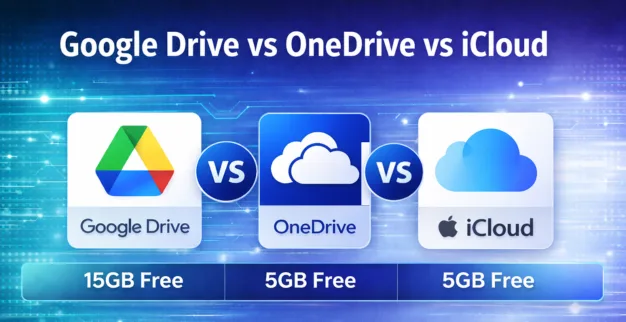
- Offers 15GB of free storage shared across Gmail and Google Photos
- Strong collaboration tools with real-time editing
- Accessible on all devices (Android, iOS, Windows, Mac)
- Flexible google drive pricing plans for individuals and businesses
It is best suited for teams that depend heavily on online collaboration and cloud-based document management.
2. Exploring OneDrive:
OneDrive is developed by Microsoft and integrates deeply with Microsoft 365 applications such as Word, Excel, and Outlook. It works exceptionally well for businesses already using Windows systems.
- 5GB of free storage
- Seamless integration with Microsoft Office tools
- Strong file versioning and backup options
- Ideal for corporate and enterprise environments
OneDrive is perfect for organizations that operate within the Microsoft ecosystem and require structured document management.
3. Understanding iCloud Storage:
icloud storage is designed primarily for Apple users. It automatically syncs photos, messages, and files across Apple devices like iPhone, iPad, and Mac.
- 5GB of free storage
- Automatic device backup for Apple products
- Strong privacy and encryption features
- Best for users within the Apple ecosystem
It is highly suitable for individuals and businesses using Apple devices who need automatic syncing and simple file management.
Security and Data Protection:
All three platforms provide strong encryption and secure access controls. However, security features may vary depending on subscription plans. Businesses handling sensitive data should review:
- End-to-end encryption availability
- Two-factor authentication support
- Compliance with data protection regulations
- Backup and recovery options
Choosing a provider that aligns with your security requirements is critical for protecting confidential information.
Storage Plans and Pricing Comparison:
When evaluating google drive pricing and competitor plans, consider storage needs and scalability.
- Google Drive: Competitive business plans with scalable storage
- OneDrive: Included with many Microsoft 365 subscriptions
- iCloud: Affordable plans mainly for personal users
For growing businesses, scalability and collaboration tools often become more important than just storage capacity.
Which Cloud Storage Fits You?
- Choose google Drive if you prioritize collaboration and use Google Workspace tools.
- Choose OneDrive if your organization relies on Microsoft Office and Windows systems.
- Choose iCloud storage if you primarily use Apple devices and need automatic syncing.
Your final decision should depend on your work environment, device ecosystem, collaboration needs, and budget.
Conclusion:
Selecting the right cloud storage platform is essential for productivity, security, and cost efficiency. Whether you choose google drive, OneDrive, or iCloud storage, each offers unique advantages tailored to different user needs. Understanding features, integration capabilities, and google drive pricing helps you make an informed decision.
At Agan Cybersecurity LLC, we help businesses implement secure and scalable cloud solutions tailored to their operational requirements. Contact our experts today to choose the right cloud storage platform for your business growth and digital success.