Odoo Demo: What to Expect Before You Buy
03 July 2026
Choosing the right Enterprise Resource Planning (ERP) system is a major decision for any business. An ERP platform impacts daily operations, customer management, inventory, finance, and overall business growth. Before investing in Odoo ERP, attending an Odoo demo is one of the best ways to understand whether the solution meets your business requirements.
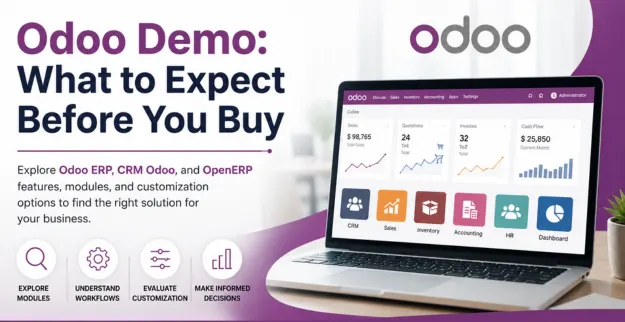
An effective demo allows you to evaluate the platform's features, understand business workflows, and determine if CRM Odoo, inventory, accounting, HR, and other modules can support your organization's long-term goals.
What is an Odoo Demo?
An Odoo demo is a guided product presentation that showcases how the ERP system works in real business scenarios. It helps organizations understand the platform's interface, automation capabilities, and available modules before implementation.
During the demonstration, businesses can:
- Explore different Odoo modules
- Understand business workflows
- Evaluate customization options
- Learn about automation features
- Assess reporting and dashboards
A well-planned demo helps stakeholders make informed decisions before purchasing Odoo ERP.
Key Modules to Evaluate
During the demo, focus on the modules that directly support your business operations.
1. CRM Odoo
Review how CRM Odoo manages leads, customer interactions, sales pipelines, follow-ups, and reporting. Evaluate whether it improves customer relationship management and sales productivity.
2. Sales Management
Check quotation creation, sales orders, pricing rules, customer invoicing, and sales analytics to understand how sales processes are automated.
3. Inventory Management
Review stock tracking, warehouse management, inventory movements, barcode support, and purchase integration to ensure efficient inventory control.
4. Accounting
Evaluate invoicing, payment tracking, tax management, financial reporting, and bank reconciliation features to determine if they meet your accounting requirements.
5. Human Resources (HR)
Explore employee management, attendance, payroll integration, leave management, recruitment, and performance tracking capabilities.
Questions to Ask During the Demo
To make the most of your Odoo demo, ask practical business questions.
- Can Odoo be customized for our workflows?
- Which modules are included in the implementation?
- How does the system integrate with existing applications?
- What reports and dashboards are available?
- How long does implementation typically take?
- What training and post-implementation support are provided?
The answers will help you understand whether the solution aligns with your operational needs.
Common Mistakes to Avoid Before Implementation
Many businesses make avoidable mistakes when selecting an ERP system.
Avoid these common issues:
- Focusing only on software cost instead of business value
- Skipping a detailed business requirement analysis
- Ignoring future scalability needs
- Choosing unnecessary modules
- Underestimating user training and change management
Proper planning leads to a smoother ERP implementation.
How to Decide if Odoo Is the Right ERP for Your Business
Before making a final decision, evaluate whether Odoo ERP supports your current operations and future growth.
Consider:
- Business process compatibility
- Ease of use for employees
- Customization flexibility
- Integration with existing systems
- Scalability as your business grows
- Vendor implementation and support expertise
A successful ERP investment should improve efficiency, reduce manual work, and support long-term business objectives.
Conclusion
An Odoo demo is more than a product presentation—it is an opportunity to evaluate whether Odoo ERP can streamline your business operations. By reviewing essential modules such as CRM Odoo, Sales, Inventory, Accounting, and HR, asking the right questions, and avoiding common implementation mistakes, businesses can confidently choose an ERP solution that supports sustainable growth.