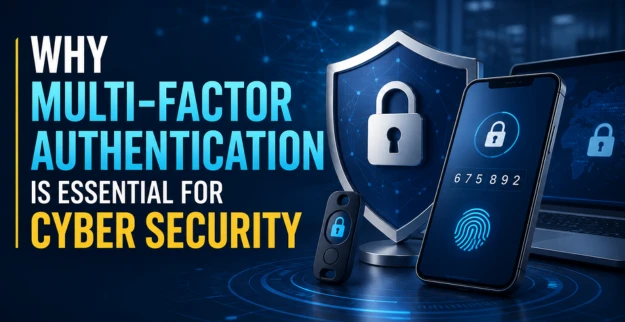
Why Multi-Factor Authentication Is Essential for Cyber Security
17 August 2026
Introduction
Passwords are one of the most common targets for cybercriminals. Stolen credentials from phishing attacks, password reuse, credential stuffing, and data breaches can allow attackers to access business accounts and sensitive information. Relying on passwords alone is therefore no longer enough for modern organizations.
What is MFA?
Multi-Factor Authentication is a security method that requires users to provide two or more independent factors to verify their identity before accessing an account or system.
The main authentication factors include:
Something You Know
Password or PIN
Something You Have
Mobile authenticator app
Security token
Hardware security key
Something You Are
Fingerprint
Facial recognition
Other biometric verification
Using multiple factors means that even if an attacker obtains a password, an additional verification step can prevent unauthorized access.
How It Works
A typical MFA login process involves several steps:
Step 1: The user enters their username and password.
Step 2: The system requests an additional authentication factor.
Step 3: The user verifies their identity using an authenticator app, biometric method, security key, or another approved method.
Step 4: Access is granted only after successful verification.
For example, an employee accessing a business cloud application may enter their password and then approve a notification through an authenticator application.
This additional layer makes account compromise significantly more difficult.
Benefits
Implementing MFA Security provides important advantages for businesses.
1. Protects Against Stolen Credentials
Even when passwords are compromised, attackers may be unable to access accounts without the additional authentication factor.
2. Strengthens Identity Security
MFA helps organizations verify users before granting access to business systems, applications, and sensitive information.
3. Protects Remote Access
Remote employees can securely access cloud applications, VPNs, and corporate systems from different locations.
4. Reduces Account Takeover Risks
Additional verification makes it more difficult for attackers to use stolen credentials for unauthorized access.
5. Supports Zero Trust Security
MFA supports Zero Trust principles by requiring stronger verification before granting access to resources.
6. Protects Sensitive Data
By strengthening account security, MFA helps reduce the risk of unauthorized access to confidential business and customer information.
Implementation
Businesses should implement MFA across critical systems rather than limiting it to a few accounts.
Important Areas to Protect
Business email accounts
Microsoft 365 and cloud applications
VPN and remote access
Administrator accounts
Financial and accounting systems
CRM and ERP platforms
Customer and employee databases
A phased implementation can begin with privileged and high-risk accounts before expanding MFA across the entire organization.
Best Practices
Organizations should follow these practices to maximize the effectiveness of MFA.
- Use authenticator apps or security keys where appropriate
- Enable MFA for all privileged accounts
- Avoid relying solely on SMS where stronger options are available
- Maintain backup authentication methods
- Train employees to recognize MFA phishing and social engineering
- Regularly review user access and authentication settings
- Immediately disable MFA access for terminated employees
- Monitor unusual login and authentication activity
- Keep authentication systems updated
Strong Authentication Methods combined with access controls, monitoring, and employee awareness create a more effective identity protection strategy.
Conclusion
Multi-Factor Authentication is an essential component of modern Identity Security. Passwords alone can be compromised, but requiring additional authentication factors makes unauthorized access significantly more difficult.
FAQ
1. What is Multi-Factor Authentication?
Multi-Factor Authentication is a security method that requires users to verify their identity using two or more independent authentication factors.
2. Which authentication methods can be used with MFA?
Common methods include authenticator apps, security keys, one-time passwords, biometrics, push notifications, and passwords combined with another verification factor.
3. Is MFA enough to protect a business?
MFA is an important security control, but it should be combined with endpoint security, network protection, security monitoring, vulnerability management, and employee awareness.