Microsoft Defender XDR: Features and Benefits
By: Ganesan D
7 Sep 2026
Category:
Network Security
Introduction
Modern businesses use multiple devices, applications, identities, email platforms, and cloud services, creating a complex security environment. Monitoring each security layer separately can make it difficult for security teams to identify connections between different alerts and respond to threats quickly.
Microsoft Defender XDR provides a unified approach to security by bringing threat detection and response capabilities across multiple areas of an organization's environment. By correlating security signals and providing centralized visibility, Microsoft XDR helps security teams investigate threats more efficiently and strengthen their overall Microsoft Security strategy.
What is Defender XDR?
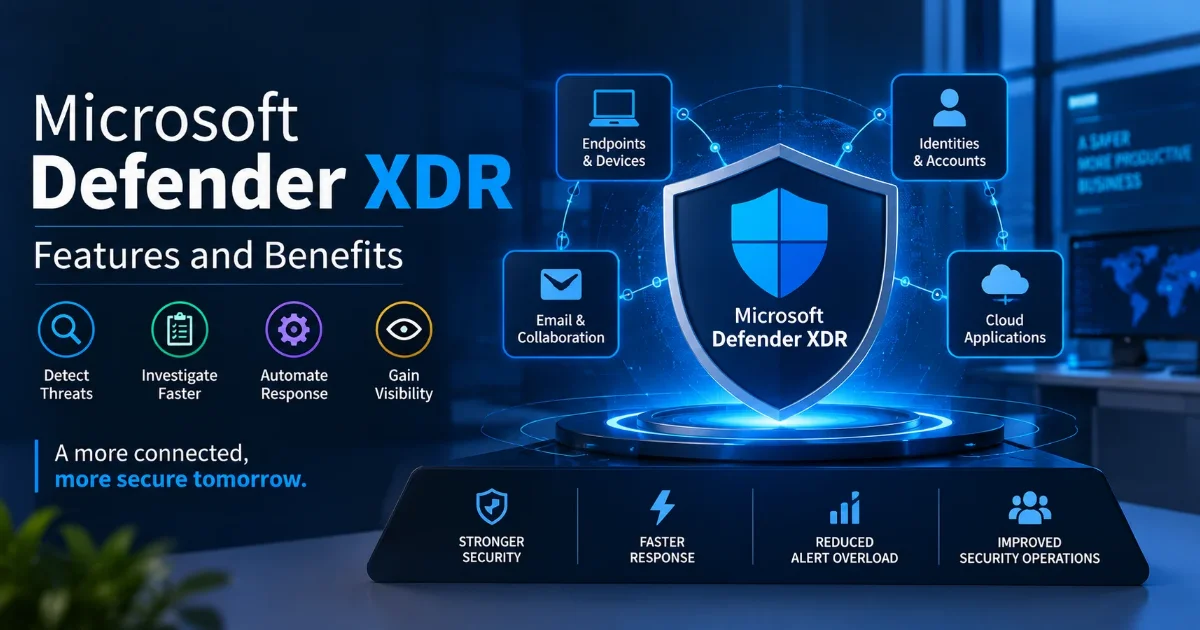
Microsoft Defender XDR is an extended detection and response solution designed to help organizations detect, investigate, and respond to cyber threats across multiple security domains.
It brings together security signals from areas such as:
- Endpoints and devices
- Email and collaboration environments
- Identities and user accounts
- Cloud applications and resources
By connecting related alerts, Defender XDR can provide security teams with greater context around potential attacks instead of requiring them to investigate every security event independently.
Features
Endpoint Detection and Response
Microsoft Defender for Endpoint provides Endpoint Detection and Response (EDR) capabilities that help monitor endpoint activity, detect suspicious behavior, investigate threats, and support response actions.
Threat Detection
Defender XDR analyzes security signals to identify suspicious activities and potential threats across connected environments.
Incident Correlation
Related alerts can be correlated into incidents, helping security analysts understand how different activities may be connected to the same attack.
Automated Investigation and Response
Automation can help investigate certain security events and perform predefined response actions, reducing repetitive work for security teams.
Identity Protection
Security teams can monitor suspicious identity and authentication activity to help detect potential account compromise.
Email Security
Security capabilities help identify malicious emails, phishing attempts, harmful links, and suspicious attachments.
Centralized Visibility
Security teams can investigate threats across different Microsoft security solutions from a more unified security environment.
Benefits
Implementing Microsoft XDR can provide several benefits for organizations.
Faster Threat Detection
Correlating security signals across different environments can help identify threats more quickly.
Reduced Alert Overload
Combining related alerts into incidents gives analysts more meaningful context and can reduce the need to investigate isolated alerts individually.
Improved Investigation
Security analysts can view information from multiple security layers to better understand potential attack paths and affected resources.
Faster Response
Automated investigation and response capabilities can help security teams react to certain threats more efficiently.
Better Security Visibility
A unified security approach provides greater visibility across endpoints, identities, email, and cloud environments.
Improved Security Operations
By reducing repetitive investigation tasks and connecting security information, Defender XDR can help security teams use their time more effectively.
Integration
Microsoft Defender XDR works as part of the broader Microsoft security ecosystem and can integrate security signals across multiple Microsoft Defender products.
Common security areas include:
- Microsoft Defender for Endpoint
- Microsoft Defender for Office 365
- Microsoft Defender for Identity
- Microsoft Defender for Cloud Apps
- Microsoft Entra ID security capabilities
It can also work alongside Microsoft Sentinel, Microsoft's cloud-native Security Information and Event Management (SIEM) and Security Orchestration, Automation, and Response (SOAR) platform, to support broader security monitoring and incident management.
This integration can help organizations connect endpoint, identity, email, cloud, and broader security operations.
Use Cases
Phishing Protection
Defender XDR can help identify suspicious emails and connect email-related alerts with other security signals.
Endpoint Threat Detection
Organizations can monitor endpoint activity and investigate malware, suspicious processes, and other potentially malicious behavior.
Account Compromise
Suspicious authentication or identity activity can be correlated with endpoint and application signals to investigate potential account compromise.
Ransomware Detection
Security teams can use endpoint and identity signals to identify suspicious activities associated with potential ransomware incidents and support response actions.
Security Operations
SOC teams can use centralized incident information to investigate threats, prioritize incidents, and coordinate response activities.
Conclusion
Microsoft Defender XDR provides organizations with a unified approach to detecting and responding to cyber threats across endpoints, identities, email, and cloud environments. By correlating security signals and providing greater context, Microsoft XDR can help security teams detect threats faster, investigate incidents more effectively, and reduce repetitive security operations.
For organizations already using Microsoft technologies, integrating Defender XDR into their broader Microsoft Security strategy can provide a more connected approach to threat detection and response. Combined with Endpoint Detection and Response, identity protection, email security, and SIEM capabilities, it can form an important part of a modern cybersecurity strategy.
Strengthen your Microsoft security environment with advanced threat detection.
Agan Cyber Security LLC provides Microsoft security solutions, Endpoint Detection and Response, threat monitoring, security assessment, and managed cybersecurity services to help businesses improve their security visibility and response capabilities.
Contact us today to strengthen your organization's Microsoft Security strategy.