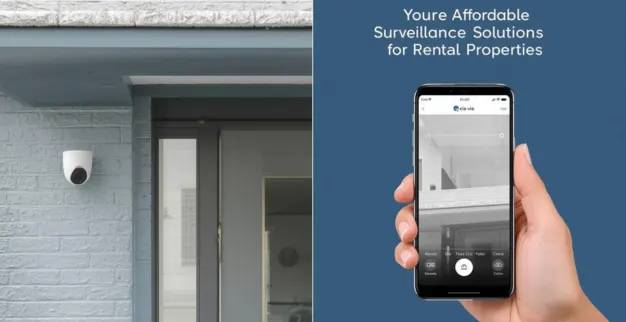
How to Secure Your Rental Property with Affordable Surveillance Solutions

By: Ganesan D 23 Sep 2025 Category: CCTV Security

Living in a rented home comes with unique restrictions — you may not be allowed to drill holes, run new wiring, or install permanent fixtures. But that doesn’t mean you can’t beef up security. With the right choices, many affordable and low-impact surveillance solutions exist that are renter-friendly. Here’s a practical guide.

What Renters Should Look for

  • Non-invasive installation: Devices that mount without drilling (adhesives, magnets, clamps, plug-in mounts).
  • Portable / removable gear: So you can take it with you when you move.
  • Wireless or battery-powered options: Reduces need for permanent cabling or altering walls.
  • Good video + night vision: To capture clear images even in low-light conditions.
  • Mobile app access & alerts: So you can see live feed or get notifications when you’re away.
  • Local storage (SD card or on-device memory) OR minimal/subscription-optional cloud storage: To avoid recurring high fees and ensure data remains accessible even if internet is spotty.
  • Weather resistance for outdoor devices: If you use any outside (balconies, entrances), they should handle rain, sun, dust.

Renter-Friendly Surveillance Options & Types

Type Use Case in Rental Pros Things to Watch Out
Hidden / Discreet Indoor Cameras Monitoring interiors like entrance halls, rooms, valuables. Very compact; easy to move; mounts using magnets or adhesive; often battery powered. Battery life; image quality; potential legal/privacy issues with discreet design.
Plug-in WiFi Indoor Cameras Where there’s a power outlet inside but no ability to add wiring through walls. Continuous power; better feature set; good image clarity. Cord visibility; need to hide wires nicely; depend on reliable power supply.
Battery-Powered Outdoor Cameras (Wireless) Monitoring doorways, balconies, external areas without altering structure. Flexible placement; no permanent wiring; often ruggedized for weather. Battery recharging; weatherproof rating; signal strength outdoors.
Pan-Tilt / 360° Cover Indoor Cameras Cover large indoor areas with one device, reducing number of units. Wide field of view; remote control (pan/tilt); fewer devices needed. Blind spots at edges; choice of position for effective view; more moving parts.
Motion Detection + Alerts Only get alerted when activity occurs, avoiding constant monitoring. Saves time and storage; early warning; better efficiency. False alarms (pets, curtains); sensitivity settings needed; where alerts are sent.

Example Devices / Models

  • TP‑Link Tapo C210 Pan/Tilt WiFi Camera: Pan/tilt control, night-vision, wide coverage.
  • Xiaomi 2i 360° Indoor Camera: 360° rotation for broad interior views.
  • AUSHA 4G Battery Indoor/Outdoor Camera: Works indoors/outdoors; night visibility.
  • AUSHA Hidden Spy WiFi Camera: Discreet, wide angle, easy mounting.
  • TP‑Link Tapo C201 Pan/Tilt WiFi Camera: Remote pan/tilt adjustments.
  • CP Plus 2K 4MP WiFi Camera: High resolution, clear detail.
  • Xiaomi CW700S Outdoor Color Night Vision Cam: Outdoor rated, color imaging.
  • Wireless Solar Battery CCTV Camera: Solar-assisted, long backup, outdoor capable.
  • Two‑Way Audio WiFi Security Cam: Mic + speaker for interaction at doors.
  • ESCAM 3MP PTZ Indoor Wireless Camera: Pan-tilt-zoom, SD card support, flexible indoor coverage.

Setup Tips for Rentals (Without Damage)

  • Use adhesive hooks, command strips, strong double-sided tape, or magnets for lightweight cameras.
  • Clip-on or shelf-top placements — behind plants, on shelves, or furniture edges.
  • For outdoor coverage without external mounts, point cameras indoors out of windows; clean windows for clarity.
  • Hide wires using cable channels, baseboards, or behind furniture.
  • Choose battery-powered or solar-assisted devices to avoid permanent wiring.
  • Ensure permissions: inform landlords; avoid lease violations.

Maintaining & Getting the Best Out of the System

  • Test setup day and night for image clarity and coverage.
  • Check battery levels; charge or replace as needed.
  • Update firmware/software regularly for security and fixes.
  • Adjust motion detection sensitivity to reduce false alarms.
  • Periodically clean lenses and wipe off dust or moisture.
  • Backup footage if using local storage to avoid loss.

Summary

Even with rental restrictions, you can achieve solid surveillance by picking non-permanent, wireless/battery powered devices with good video quality and app features. Use discreet indoor units, outdoor-rated cameras where allowed, and ensure your setup won’t damage property or violate lease terms. Thoughtful selection gives security and peace of mind without overspending.

Latest Blog Posts

Best SIEM Tools and How They Improve Threat Detection & Response

By: Ganesan D 15 Nov 2025 Category: Security Operations

Explore the best SIEM tools that help businesses detect threats faster, reduce response time, and strengthen overall security. Learn key features, real-world use cases, and expert insights to choose the right SIEM for your organization.

Read more...

How Do SOC, SIEM & DLP Work Together to Protect Your Organization?

By: Ganesan D 14 Nov 2025 Category: Security Operations

Learn how SOC, SIEM, and DLP work as a unified defence system—helping your business detect threats faster, protect sensitive data, and build a stronger security posture with real-time monitoring and integrated response.

Read more...

Why Every Company Needs a Strong SOC in 2025

By: Ganesan D 13 Nov 2025 Category: Security Operations

In 2025, a strong Security Operations Center (SOC) is no longer optional — it’s essential. Discover how a robust SOC enables 24/7 threat detection, faster incident response, and complete cyber resilience for modern businesses.

Read more...