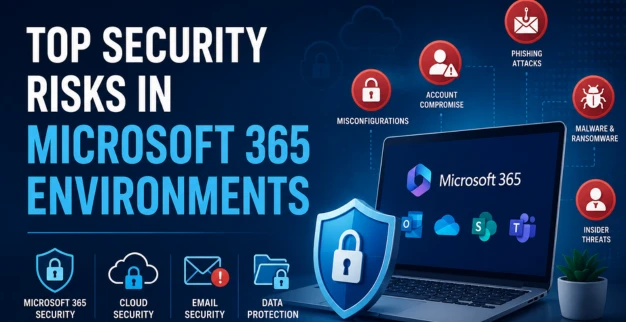
Top Security Risks in Microsoft 365 Environments
22 June 2026
Microsoft 365 has become one of the most widely adopted business productivity platforms, offering organizations powerful tools for collaboration, communication, and cloud-based operations. Applications such as Outlook, Teams, SharePoint, and OneDrive enable employees to work efficiently from anywhere.
However, as organizations increasingly rely on cloud services, securing Microsoft 365 environments has become a critical business priority. Without proper Microsoft 365 security controls, businesses may face cyberattacks, data breaches, account compromises, and compliance challenges. Strong cloud security, email security, and data protection measures are essential to minimize these risks.
Microsoft 365 Adoption
Businesses across industries are rapidly adopting Microsoft 365 because of its flexibility and scalability.
Key benefits include:
- Cloud-based collaboration
- Remote and hybrid work support
- Centralized document management
- Improved productivity and communication
- Integration with business applications
While these advantages drive adoption, they also expand the organization's attack surface and create new security challenges.
Common Security Risks
Several threats commonly target Microsoft 365 environments.
Phishing Attacks
Cybercriminals frequently use fake emails to steal user credentials and gain unauthorized access to accounts.
Account Compromise
Weak passwords and credential theft can allow attackers to access sensitive emails, files, and business data.
Malware and Ransomware
Malicious files shared through email or cloud storage can infect systems and disrupt operations.
Insider Threats
Accidental or intentional actions by employees may expose sensitive information or compromise security.
These risks can significantly impact data protection and business continuity.
Misconfigurations
One of the most overlooked risks in Microsoft 365 environments is improper configuration.
Common misconfigurations include:
- Multi-Factor Authentication (MFA) not enabled
- Excessive user permissions
- Unsecured file-sharing settings
- Inadequate email filtering policies
- Lack of monitoring and logging
Even a well-secured platform can become vulnerable if security settings are not properly configured.
Security Best Practices
Organizations can strengthen Microsoft 365 security by implementing proactive security measures.
User Access Management
- Enable Multi-Factor Authentication (MFA)
- Enforce strong password policies
- Apply least-privilege access controls
Email Security
- Deploy advanced phishing protection
- Implement email filtering and anti-spam controls
- Train employees to recognize phishing attempts
Data Protection
- Classify and encrypt sensitive data
- Configure secure file-sharing policies
- Regularly review access permissions
Following these best practices significantly reduces security risks.
Recommended Controls
To improve cloud security, organizations should implement multiple layers of protection.
Essential Security Controls
- Microsoft Defender for Office 365
- Conditional Access Policies
- Data Loss Prevention (DLP)
- Security Information and Event Management (SIEM)
- Endpoint Detection and Response (EDR)
- Continuous security monitoring
These controls help organizations improve visibility, strengthen email security, and enhance overall protection.
Conclusion
Microsoft 365 offers powerful business capabilities, but it also introduces security challenges that organizations cannot ignore. Phishing attacks, account compromises, misconfigurations, and insider threats remain among the most common risks affecting Microsoft 365 environments.
By implementing strong Microsoft 365 security, improving cloud security, enhancing email security, and prioritizing data protection, businesses can reduce vulnerabilities and protect critical information from evolving cyber threats.